
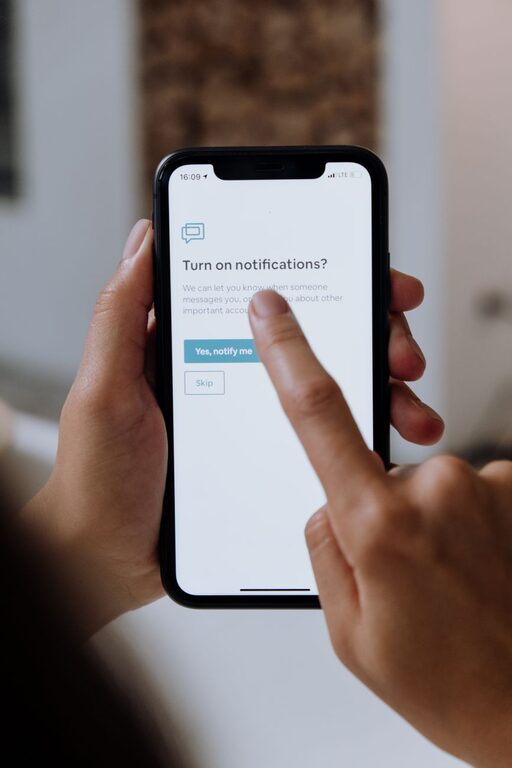
In today’s connected world, notifications from our devices keep us constantly informed but can also become overwhelming. When notifications interrupt our focus or invade our personal time, it’s important to set healthy boundaries. By managing notifications effectively, you can reduce distractions, lower stress, and improve both productivity and well-being.
This guide covers useful strategies for creating boundaries with notifications—whether on smartphones, computers, or other digital devices.
Why Setting Boundaries with Notifications Matters
Notifications serve as reminders, alerts, and updates from apps and services. However, excessive or poorly timed notifications can lead to:
– Reduced concentration and productivity
– Increased stress and anxiety
– Difficulty disconnecting from work or social media
– Disturbed sleep and downtime
Setting clear limits on when and how notifications appear helps you stay in control of your attention and time.
Assess Your Current Notification Habits
Before making changes, take some time to evaluate how notifications affect you:
– Which apps send you the most notifications?
– Are there notifications that frequently interrupt important tasks?
– Do you check your phone compulsively when a notification arrives?
– How often do notifications disturb your sleep or relaxation time?
Being aware of your current habits helps you tailor your boundaries to what you really need.
Tips for Setting Effective Notification Boundaries
1. Customize Notification Settings App-by-App
Most smartphones and computers allow customizing notifications individually:
– Turn off notifications for apps that don’t require immediate attention.
– Use “silent” or “badge-only” notifications if you want to know there’s an update without sound or pop-ups.
– Prioritize essential apps (e.g., messaging from family or work tools) for audible alerts.
2. Use “Do Not Disturb” and Focus Modes
Leverage built-in features such as Do Not Disturb or Focus modes to block notifications during specific times:
– Schedule Do Not Disturb during work hours or focus sessions.
– Activate it automatically during bedtime to avoid sleep disruption.
– Configure exceptions for important contacts or apps.
3. Set Specific Times to Check Notifications
Instead of reacting instantly to every alert, create designated times to review notifications:
– Batch-check notifications several times daily.
– Avoid checking notifications first thing in the morning or last thing at night.
– Reduce compulsive phone use by turning off push notifications and only opening apps as scheduled.
4. Limit Notifications from Social Media and Non-Essential Apps
Social media apps are notorious for frequent notifications meant to draw you back in:
– Disable all but the most critical alerts (like direct messages).
– Consider uninstalling apps that constantly distract you or using website blockers.
5. Manage Email Notifications Wisely
Email can be a major source of notifications:
– Turn off push notifications and check email at set intervals instead.
– Use folders, filters, and rules to prioritize important senders.
6. Use Visual and Auditory Cues Mindfully
Some people find visual badges or sounds stressful, while others rely on them:
– Experiment with turning off notification sounds or vibrations if they cause anxiety.
– Use gentle or custom sounds to reduce interruption impact.
– Remove lock screen notifications to reduce temptation.
7. Communicate Your Boundaries to Others
Let friends, family, and colleagues know your notification boundaries:
– Share when you will be unavailable or slower to respond.
– Ask them to contact you through specific channels for urgent matters.
8. Regularly Review and Adjust Your Notification Settings
Notification needs change over time:
– Periodically audit your apps and settings.
– Disable notifications for apps you no longer use or find distracting.
– Adapt your strategies as your work and personal life evolve.
Bonus: Additional Tools and Apps for Notification Management
If default device settings aren’t enough, third-party tools can provide extra control:
– Apps that block notifications during focus times (e.g., Forest, Freedom).
– Email clients with built-in prioritization and notification controls.
– Browser extensions to mute notifications from websites.
Conclusion
Notifications are useful but can easily become overwhelming without clear boundaries. By customizing your settings, scheduling focused times, reducing unnecessary alerts, and communicating your limits, you reclaim control over your time and attention. With mindful notification management, you can enjoy better focus, reduced stress, and a healthier digital balance.
Try implementing these tips step-by-step and discover which approaches work best for your lifestyle. Over time, setting boundaries with notifications can become a natural and empowering habit.
About the Author